
What is Microsoft Intune and how does it manage your devices?
Microsoft Intune is a cloud-based endpoint management service that lets you enrol, configure, secure, and update every device your team uses, all from a single web console called the Microsoft Intune admin centre. No server room required. No VPN dependency. Just a browser and an internet connection.
Intune works through two core modes, and understanding the difference saves you a lot of headaches later:
- Mobile Device Management (MDM): Intune takes full control of the device, including settings, apps, and security. MDM suits organisation-owned devices like company laptops and phones. If a device goes missing, you can wipe it remotely.
- Mobile Application Management (MAM): Intune manages only the work apps and the data inside them, leaving the rest of the device alone. MAM is ideal for BYOD scenarios, protecting Outlook and Microsoft Teams without touching personal photos or apps.
- Platform support: Windows, macOS, iOS, Android, and ChromeOS are all covered.
- Microsoft Entra Conditional Access integration: Intune feeds device compliance data to Microsoft Entra ID, which then decides whether to grant or block access to company resources in real time.
- Automation: Every action in the admin centre is backed by a Microsoft Graph API call, so repetitive tasks can be scripted.
You can run MDM and MAM together on the same device. A company-owned phone enrolled in MDM can also carry MAM app protection policies for especially sensitive data.
How does Intune compare to Group Policy in a hybrid environment?
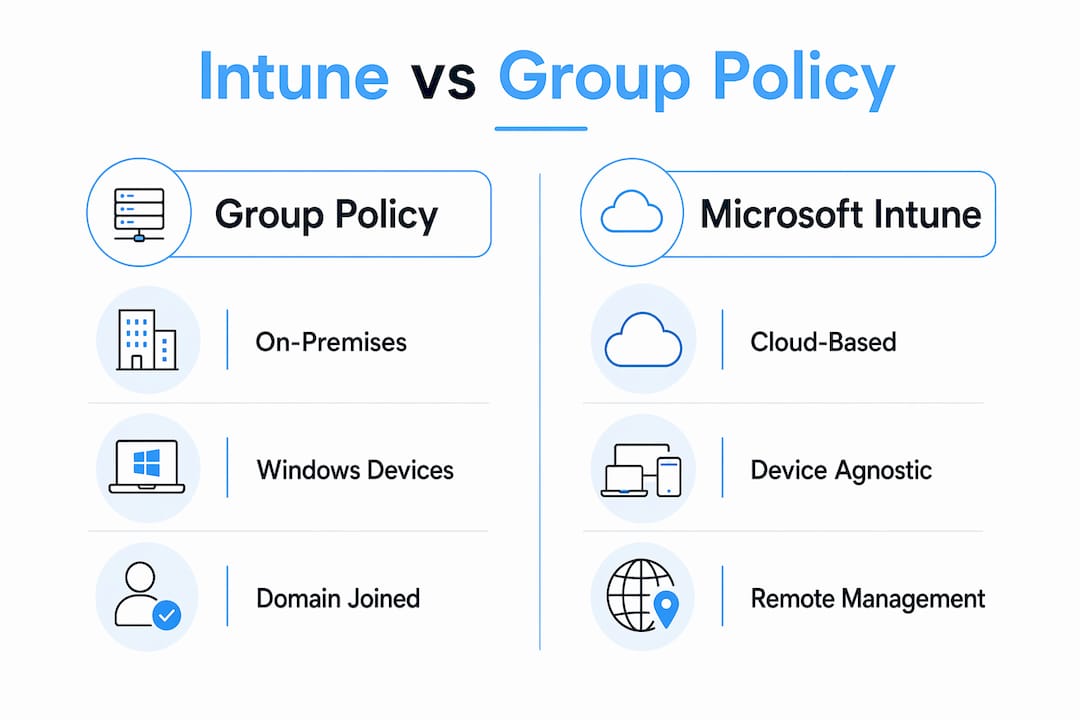
Group Policy has been the backbone of Windows device management for decades. It works through Active Directory, applying Group Policy Objects (GPOs) to domain-joined machines every 90 minutes or so, via the local network. Solid for on-premises environments. Less useful the moment your staff start working from home.
Intune manages devices over HTTPS from anywhere with an internet connection, with no domain controller in sight. The underlying mechanism is also different: where GPO edits the registry directly, Intune uses Configuration Service Providers (CSPs) to apply settings, which means the policy design and enforcement logic differ fundamentally.
Most UK small businesses in 2026 are running a hybrid setup, with some devices on-premises and others remote. The practical answer is usually to run both in parallel during a gradual migration. Intune handles cloud-native and remote scenarios; GPO covers on-premises settings that have no Intune equivalent yet.
The Group Policy Analytics tool inside the Intune admin centre helps here. You export your GPO XML files, import them into the tool, and it shows you an MDM support percentage for each policy, telling you exactly which settings can move to Intune’s Settings Catalog and which need to stay as GPOs or be rebuilt as custom OMA-URI profiles. Not every legacy GPO setting has a direct Intune equivalent, so selective, phased migration is the only sensible approach.
One thing to watch: on hybrid-joined devices receiving policies from both systems, conflicts can occur when both try to manage the same setting. Run Group Policy Analytics before assigning Intune policies, and retire or narrow the corresponding GPO once you have confirmed the Intune policy is working.
What can you do with Intune’s remote management capabilities?
Remote device management is where Intune genuinely earns its place for small businesses with dispersed teams. From the admin centre, you can lock a lost device, reset a passcode, trigger a Microsoft Defender Antivirus scan, or wipe a device entirely, without being anywhere near it physically.

IT admins can perform bulk actions on up to 100 devices simultaneously, covering tasks like wiping, restarting, syncing, and collecting diagnostics. That kind of scale matters when you are re-issuing devices at the end of a contract or responding to a security incident across multiple endpoints at once.
Key remote actions available in Intune include:
- Remote wipe and factory reset: Removes all data and restores factory settings on lost or stolen devices.
- Selective retire: Strips company data and settings while leaving personal content intact, useful for departing staff on BYOD.
- Remote lock and passcode reset: Locks a device or clears a forgotten PIN without user involvement.
- Defender Antivirus scan: Triggers a full or quick scan remotely when a threat alert is raised.
- Sync: Forces a device to check in and apply the latest policies immediately.
- Collect diagnostics: Pulls logs from a device and uploads them to Intune for troubleshooting without an on-site visit.
Pro Tip: Devices must be fully enrolled in MDM to receive remote wipe commands. Onboarding a device for security telemetry alone is not enough. Check your enrolment status before you need it in a crisis.
Why device-agnostic management and Zero Trust matter for your business
Traditional Group Policy only works on domain-joined Windows machines. If your team uses a mix of MacBooks, iPhones, and Android tablets alongside Windows laptops, GPO simply cannot reach them. Intune’s cross-platform support across Windows, macOS, iOS, Android, and ChromeOS means you apply the same security baseline to every device, regardless of what it runs.
Intune integrates with Microsoft Entra Conditional Access to enforce Zero Trust principles in practice. When a user tries to open a corporate app, Conditional Access evaluates their identity, the device’s compliance state, the app, the location, and risk signals from Microsoft Defender, all in real time, before granting access. A device that fails a compliance check gets blocked, not just flagged.
Microsoft’s long-term roadmap clearly favours cloud-native management through Intune, with new capabilities landing there first while GPO is maintained for legacy needs. For small businesses planning their IT infrastructure now, building around Intune rather than retrofitting it later is the more sensible path.
How to get started with Intune in your UK small business
Getting Intune running does not have to be a months-long project. Most small businesses can reach a working baseline in a few weeks if they follow a structured approach.
Licensing: Intune is included in Microsoft 365 Business Premium, which covers most SME needs. It is also available through the Microsoft Intune Suite or as a standalone subscription for businesses that want advanced capabilities without a full Microsoft 365 upgrade.
Setup steps:
- Confirm your Microsoft 365 tenant is active and set Intune as your MDM authority.
- Create device groups in Microsoft Entra ID, using dynamic groups for large or changing fleets and static groups for small, stable sets.
- Deploy MAM app protection policies first, particularly for BYOD staff. This protects corporate data in apps like Outlook and Teams with minimal disruption to users.
- Enrol company-owned devices via Windows Autopilot, Apple Automated Device Enrollment, or the Company Portal app for personal devices.
- Build compliance policies that define your minimum requirements: PIN protection, OS version, encryption.
- Apply configuration profiles from the Settings Catalog to push Wi-Fi, VPN, and security settings.
- Connect Intune to Microsoft Defender for Endpoint to monitor device risk as a condition for access.
Common challenges: Enrolment failures often come down to licensing not being assigned to the user account. Compliance policy conflicts on hybrid-joined devices usually trace back to overlapping GPO settings. The Intune admin centre’s device configuration view shows each profile’s assignment status, which is the fastest place to start troubleshooting.
For ongoing monitoring, review the compliance reports in the admin centre weekly and set up alerts for non-compliant devices. Keeping device compliance settings current is what keeps your Conditional Access policies meaningful.
Pro Tip: Start MAM before MDM for BYOD staff. Protecting corporate data in managed apps like Outlook and Teams takes minutes to configure and creates far less friction than asking employees to enrol their personal phones into full MDM from day one.
At TTOY Digital, we help small businesses across England get their Microsoft 365 environments set up properly, including Intune configuration, compliance policies, and ongoing managed support. If you are not sure where to start, talk to our team and we will work through it with you.
[IMAGE:cta_image]
Key takeaways
Microsoft Intune gives UK small businesses cloud-native control over every device their team uses, with Zero Trust security built in from the start.
| Point | Details |
|---|---|
| MDM vs MAM | MDM controls the whole device; MAM protects only work apps, making it ideal for BYOD staff. |
| Bulk remote actions | Intune supports remote actions on up to 100 devices at once, covering wipes, locks, and diagnostics. |
| Group Policy coexistence | Most businesses run GPO and Intune in parallel; use Group Policy Analytics to plan a phased migration. |
| Zero Trust integration | Intune compliance data feeds Microsoft Entra Conditional Access, blocking non-compliant devices in real time. |
| Start with MAM | Deploying MAM policies first for BYOD reduces user friction and gets protection in place faster. |
FAQ
What is Intune device management?
Microsoft Intune is a cloud-based endpoint management service that lets you enrol, configure, secure, and update devices across Windows, macOS, iOS, Android, and ChromeOS from a single admin console, without needing on-premises infrastructure.
Do I need to replace Group Policy with Intune?
No. Most organisations run both in parallel, using Group Policy for on-premises Windows settings and Intune for cloud-native, remote, and mobile scenarios. Migration is typically gradual rather than a full cutover.
Can Intune manage personal devices without full control?
Yes. Mobile Application Management (MAM) lets Intune protect corporate data inside apps like Outlook and Teams on personal devices, without enrolling the whole device or touching personal content.
How long does it take to set up Intune for a small business?
A working baseline with MAM policies, device groups, and compliance rules can typically be in place within a few weeks, depending on the number of devices and how complex your existing environment is.
Is Intune included in Microsoft 365 Business Premium?
Yes. Microsoft 365 Business Premium includes Intune, making it the most cost-effective entry point for UK small businesses that want full device and application management without a separate subscription.
Related reading: Migrate email to Microsoft 365: the complete guide · OneDrive vs Dropbox: which is right for your business?