
If you’re already paying for Microsoft 365, OneDrive is almost certainly the better choice. It’s bundled into subscriptions you’re likely already paying for, integrates natively with Word, Excel, and Teams, and costs nothing extra to use. Dropbox wins on a different front: faster sync for large files, a more polished cross-platform experience, and creative collaboration tools that Microsoft simply hasn’t matched.
The honest answer is that neither is universally better. Your workflow environment matters far more than any feature list. Here’s how they stack up across the dimensions that actually affect day-to-day work.
| Feature | Dropbox | OneDrive | Best for |
|---|---|---|---|
| Free storage | a modest amount | a modest amount | OneDrive |
| File sync | Block-level (fast) | Standard sync | Dropbox |
| Microsoft 365 integration | Via third-party | Native | OneDrive |
| Third-party apps | 300,000+ connected apps | Narrower ecosystem | Dropbox |
| Linux support | Native client | None official | Dropbox |
| Compliance (GDPR, ISO 27001) | GDPR, SOC 1/2/3 | GDPR, ISO 27001, HIPAA, FedRAMP | OneDrive |
| Starting business price | a higher tier | a more affordable tier | OneDrive |
| Creative tools | Dropbox Replay, Rewind | Limited | Dropbox |
| User rating | 4.1★ (326 reviews) | — | OneDrive |
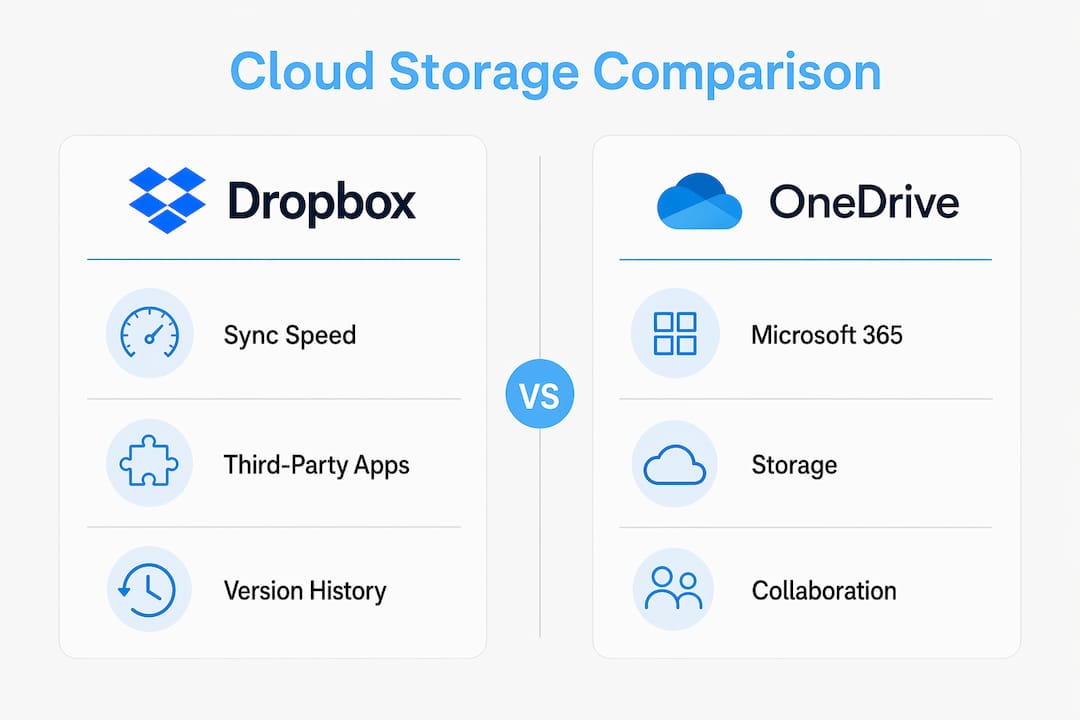
How do OneDrive and Dropbox actually compare?
The core difference comes down to what each product was built to do. OneDrive is the storage layer inside Microsoft 365, not a standalone tool. Dropbox was built from the ground up to sync files reliably across every platform, and it still does that better than almost anything else.

Collaboration
OneDrive’s real-time co-authoring on Word, Excel, and PowerPoint is genuinely excellent, particularly when paired with SharePoint for team document libraries. Dropbox handles collaboration differently: shared folders, commenting, and file requests work well, but the standout feature is Dropbox Replay, which lets remote teams leave timestamped comments directly on video, audio, and image files. For a marketing agency reviewing a video cut, that’s a genuine time-saver.
Sync performance
Dropbox’s block-level sync uploads only the changed portions of a file. Edit one layer in a large Photoshop file and Dropbox transfers kilobytes, not the whole thing. OneDrive uses standard sync, which is reliable but noticeably slower on large files. For teams working with video, RAW photography, or CAD files, this difference adds up across a working week.

User experience
Dropbox is the slicker app. Its search is faster, offers real-time suggestions, and can find images based on their content. OneDrive’s search is solid but less refined, and it doesn’t automatically suggest files as you type. On Linux, Dropbox offers a native client; OneDrive has no official Linux support at all.
- Dropbox supports Windows, macOS, Linux, iOS, and Android natively
- OneDrive is deeply integrated on Windows but historically weaker on macOS
- Both offer mobile apps with offline access and automatic photo backup
Which industries and use cases suit each service?
The right choice depends on your workflow, not on which product has more features on paper.
OneDrive suits you if:
- Your team runs on Microsoft 365 and uses Word, Excel, or Teams daily
- You work in a regulated sector such as healthcare, finance, or legal, where HIPAA and ISO 27001 compliance matters
- Your IT team manages Azure Active Directory and needs centralised access controls
- You’re a sole trader or small business already paying for a Microsoft 365 subscription
Dropbox suits you if:
- You work in creative industries: video production, graphic design, architecture, or photography
- Your team is platform-agnostic or includes Linux users
- You collaborate with external clients on audio, video, or design files
- You need broad third-party integrations with tools like Adobe Creative Cloud, Figma, Slack, or Zoom
Freelancers and small teams often find Dropbox easier to set up without committing to an entire productivity ecosystem. Install it, sync your files, share a folder. No email platform or calendar bundled in unless you want them.
What do OneDrive and Dropbox cost in the UK?
Pricing is where OneDrive pulls ahead for most small businesses, particularly those already on a Microsoft subscription.
| Plan | Provider | Price (annual) | Storage |
|---|---|---|---|
| Free | Both | — | 2 GB (Dropbox) / 5 GB (OneDrive) |
| Microsoft 365 Personal | OneDrive | monthly subscription | 1 TB plus Office apps |
| Dropbox Plus | Dropbox | monthly subscription | 2 TB |
| OneDrive for Business Plan 1 | OneDrive | monthly per user | 1 TB per user |
| Microsoft 365 Business Basic | OneDrive | monthly per user | 1 TB plus Teams and SharePoint |
| Dropbox Standard | Dropbox | higher monthly per user tier | 5 TB shared storage |
Pro Tip: If your small business already pays for Microsoft 365 Business Basic, OneDrive is effectively included. Adding Dropbox Standard on top is hard to justify unless your team needs its creative tools or Linux support.
OneDrive gives you more free storage than Dropbox, though both free tiers are modest compared to Google Drive. The real value case for OneDrive is the Microsoft 365 bundle: at the individual level, $6.99/month buys 1 TB plus the full Office suite, while Dropbox Plus at $9.99/month gives you 2 TB but no bundled apps. If you need the extra storage and don’t use Office, Dropbox wins on space. If you use Office apps regularly, OneDrive wins before storage even enters the equation.
How secure are OneDrive and Dropbox for UK users?
Both platforms use AES-256 encryption at rest and TLS in transit, and both support two-factor authentication on all plans. The meaningful differences sit in compliance breadth and organisational controls.
- OneDrive: GDPR, ISO 27001, HIPAA, FedRAMP, SOC 1/2, and FERPA. Azure Active Directory integration lets IT administrators enforce sharing policies, restrict external sharing by domain, and audit access across the organisation. Personal Vault adds an extra authentication layer (PIN, fingerprint, or face recognition) for sensitive files.
- Dropbox: GDPR, HIPAA, and SOC 1/2/3 compliance. Advanced sharing controls include link expiration dates, viewer history, and the ability to disable downloads on shared links. These matter for agencies sharing sensitive client work.
One caveat worth knowing: neither platform offers zero-knowledge encryption by default, meaning the provider can technically access file contents. If that’s a concern for your business, alternatives like Tresorit or Sync.com are worth considering.
How well do they integrate with your existing tools?
OneDrive’s integration with the Microsoft 365 suite is native and genuinely frictionless. Files open directly in Word, Excel, and PowerPoint. SharePoint extends this into structured document management with metadata, compliance workflows, and team intranets, which Dropbox hasn’t matched at enterprise depth.
Dropbox takes a different approach. Its App Centre connects to over 300,000 third-party apps, including Adobe Creative Cloud, Figma, Slack, Zoom, and both Microsoft 365 and Google Docs. Smart Sync lets you browse all your cloud files in your file explorer without downloading them locally. For teams managing content marketing workflows or creative asset libraries, that breadth of connection is genuinely useful.
Both services connect to Zapier, which opens up automation possibilities: when a new file lands in either service, Zapier can summarise it with AI and notify your team in Slack, for example. Dropbox also offers Dash, a cross-app search add-on at $10–$14/user/month, though reviews on its search quality are mixed.
How do you decide which one is right for you?
Ask yourself these questions before committing:
- Do you already pay for Microsoft 365? If yes, start with OneDrive.
- Does your team work with large video, design, or CAD files regularly? Dropbox’s block-level sync will save you real time.
- Do any of your team members use Linux? Dropbox is the only option with official support.
- Do you need HIPAA or FedRAMP compliance? OneDrive covers both out of the box.
- Are you paying for both services already? That’s more common than you’d think, and often justified when a creative team sits inside a Microsoft-standardised organisation.
Small businesses often underestimate the hidden costs of switching: migration time, staff retraining, and broken integrations. If your team is already comfortable with one platform, the switching cost can outweigh any feature advantage the other offers.
Backup, version history, and file recovery
Dropbox offers version history up to one year on Business plans, giving teams a meaningful window to recover files deleted or overwritten months ago. OneDrive defaults to 25 versions, which suits most office document workflows but falls short for creative teams who need longer recovery windows.
OneDrive integrates with SharePoint’s document libraries, which adds metadata-based version tracking and compliance-grade audit trails beyond basic file recovery. For marketing automation teams or regulated businesses that need to demonstrate document history, that’s a practical advantage. Dropbox’s Rewind feature can roll back an entire folder to a previous state, which is particularly useful after accidental bulk deletions.
Where are your files actually stored?
Microsoft operates data centres in the UK, including locations in London and Cardiff, meaning OneDrive data for UK Microsoft 365 subscribers can be stored domestically. This matters for GDPR compliance and for organisations with data residency requirements.
Dropbox’s primary infrastructure runs on Amazon Web Services, with servers predominantly in the United States. Dropbox does offer data residency options for Business and Enterprise plans, allowing EU-based storage, but UK-specific residency is not publicly listed as a standard option. For UK businesses in regulated sectors, OneDrive’s domestic data centre presence is a concrete advantage worth factoring into the decision.
TTOY Digital can help you get more from your cloud setup
Choosing between OneDrive and Dropbox is one thing. Getting it properly connected to your website, CRM, and client workflows is another challenge entirely. At TTOY Digital, we work with small businesses across England to set up Microsoft 365 integrations, build bespoke web applications, and configure the kind of joined-up digital infrastructure that actually saves time rather than creating new headaches. If you’ve landed on OneDrive and want it working properly alongside your business tools, we can help with that without the enterprise price tag or the lengthy onboarding process.
FAQ
Is it better to use OneDrive or Dropbox?
It depends on your existing tools. OneDrive is the better choice if you already use Microsoft 365, while Dropbox suits creative professionals and cross-platform teams who need faster sync and broader third-party integrations.
Is OneDrive being phased out?
No. OneDrive remains a core part of Microsoft’s product strategy and is actively developed as the storage backbone of Microsoft 365, with ongoing improvements to sync performance and Copilot AI integration.
How much does OneDrive cost in the UK?
OneDrive for Business starts at a more affordable tier, and Microsoft 365 Business Basic adds Teams, SharePoint, and web Office apps. Personal plans start at $6.99/month for 1 TB plus the full Office suite.
Is Dropbox based in the UK?
Dropbox is headquartered in San Francisco, California. Its infrastructure runs primarily on Amazon Web Services servers in the United States, though Business and Enterprise plans offer EU data residency options.
Key takeaways
OneDrive is the stronger value for most UK small businesses already on Microsoft 365, while Dropbox leads on sync speed, creative tools, and cross-platform flexibility.
| Point | Details |
|---|---|
| Microsoft 365 users | OneDrive is effectively free and natively integrated, making it the default choice for Microsoft-centric teams. |
| Creative and cross-platform teams | Dropbox’s block-level sync and Dropbox Replay make it the better fit for video, design, and Linux workflows. |
| Pricing advantage | OneDrive for Business starts at $5/user/month versus Dropbox Standard at $15/user/month for comparable tiers. |
| Security and compliance | Both use AES-256 encryption; OneDrive covers HIPAA, FedRAMP, and ISO 27001 out of the box for regulated industries. |
| TTOY Digital | For small businesses wanting Microsoft 365 properly integrated with their website and CRM, TTOY Digital offers bespoke setup without enterprise costs. |
Related reading: Migrate email to Microsoft 365: the complete guide · Intune device management for UK small businesses



