
If you run a service-based business, Mailchimp is the simpler, more cost-effective starting point. If ecommerce is your engine, Klaviyo’s behavioural automation tends to pay for itself. And if you need email, WhatsApp, and CRM talking to each other in one place, SmartFlowCRM from TTOY Digital is built for exactly that.
- Service businesses: Mailchimp handles newsletters, simple automations, and basic segmentation without a steep learning curve or a steep bill.
- Ecommerce brands: Klaviyo connects directly to Shopify or WooCommerce and turns purchase behaviour into automated revenue flows.
- Integrated CRM requirement: SmartFlowCRM combines email, WhatsApp, and lead management in a single UK-ready platform, implemented and managed by TTOY Digital.
Don’t switch platforms mid-campaign. If you’re within 60 days of a peak trading period, finish the season first, then migrate.
Pro Tip: Before you trial anything, write down your three most important automations. If a platform can’t build all three natively, it is not the right fit regardless of price.
Table of Contents
- How do Mailchimp, Klaviyo, and SmartFlowCRM compare?
- How do you choose the right platform for your business?
- What does Mailchimp vs Klaviyo pricing actually cost a UK small business?
- What should you check in a vendor DPA before you sign?
- What does a typical migration or implementation look like?
- When does SmartFlowCRM make more sense than a standalone ESP?
- Key takeaways
- The honest view on choosing an email platform
- FAQ
- Useful sources
How do Mailchimp, Klaviyo, and SmartFlowCRM compare?
Business model is the primary deciding factor here, not feature counts. The table below maps each platform against the dimensions that actually affect your day-to-day and your monthly invoice.

| Dimension | Mailchimp | Klaviyo | SmartFlowCRM (TTOY Digital) |
|---|---|---|---|
| Best for | Service businesses, newsletters | Ecommerce retention & lifecycle | Integrated CRM + multi-channel SMEs |
| Pricing model | Tiered by contacts | Active profiles + add-ons | Agency-scoped project/retainer |
| Typical UK monthly cost (5k contacts) | ~£30–£50 | — | Quoted per engagement |
| Segmentation & automation | Tag/attribute-based, medium depth | Event-driven, real-time, advanced | CRM-native, multi-channel flows |
| Integrations | Shopify, WooCommerce, 300+ apps | Shopify-first | Web, WooCommerce, WhatsApp, email |
| Ease of use | Easier onboarding | Steeper learning curve | Agency-managed, no DIY required |
| Deliverability & analytics | Campaign-based reporting | Revenue-focused analytics, predictive CLV | Managed deliverability, custom reports |
| UK GDPR / DPA support | Standard DPA available | Standard DPA available | UK-focused setup, GDPR-guided config |
| Support | 30-day free support; paid plans: chat/email | 60-day free support; paid: chat/email | Dedicated agency contact |
Mailchimp’s strengths: familiar interface, faster onboarding, all-in-one tools (email, landing pages, ads). Klaviyo’s strengths: event-driven segmentation with virtually unlimited conditions, predictive analytics, and native ecommerce flows. SmartFlowCRM’s strengths: single customer view across channels, no platform management burden, and a UK agency team handling compliance and setup.
A Shopify test showed Klaviyo generating notably more attributed email revenue than Mailchimp. Klaviyo costs more per month, but the revenue gap made that cost irrelevant for an active ecommerce store.
Pro Tip: Ask each vendor whether they bill on total contacts or active profiles. Mailchimp counts unsubscribed contacts toward your tier unless you manually archive them; Klaviyo bills on active profiles but can include non-opted-in checkout emails. Both traps add cost silently.
How do you choose the right platform for your business?
The honest answer is that most small businesses pick the wrong tool because they compare feature lists rather than their own workflow. Start with these questions instead.
Decision criteria to work through:
- Is ecommerce revenue directly dependent on email retention flows, or is email mainly a newsletter and enquiry channel?
- How large is your list today, and how fast is it growing? Klaviyo’s pricing rises quickly past 10,000 contacts.
- Does your team have someone who can build and maintain advanced segments, or will this fall to you between client calls?
- Do you need SMS, push notifications, or WhatsApp alongside email, or is email enough for now?
- Where is your customer data stored, and does your chosen platform need to process it under UK GDPR?
Questions to ask vendors or agencies before signing:
- How do you count contacts for billing, and what happens to unsubscribed records?
- Where is customer data stored, and which sub-processors handle it?
- What is your breach notification timeline under UK GDPR?
- Can you provide a signed Data Processing Addendum before we go live?
- What support SLA applies to our plan, and is there a dedicated account contact?
Red flags to watch for: a vendor who cannot produce a DPA on request, a trial that pre-populates your account with demo contacts inflating your apparent tier, and any sales pitch that skips the question of data residency entirely.
What does Mailchimp vs Klaviyo pricing actually cost a UK small business?
Pricing pages rarely tell the full story. The table below uses representative UK scenarios to show realistic monthly costs, including the hidden labour TCO that most comparisons ignore.
| Scenario | Platform | Contacts | Est. monthly subscription | Est. monthly labour | Total monthly TCO |
|---|---|---|---|---|---|
| Local service business | Mailchimp Essentials | 500 | ~£13 | Low (simple flows) | ~£13–£30 |
| Small ecommerce store | Klaviyo Email | — | — | Medium (flow builds) | — |
| Growth ecommerce brand | Klaviyo Email + SMS | 30,000 | ~£300+ | High (ongoing optimisation) | — |
| Integrated CRM client | SmartFlowCRM | All contacts | Agency-scoped | Managed by TTOY Digital | One engagement fee |
Klaviyo’s free plan covers up to 250 contacts with fuller platform access than Mailchimp’s free tier, which limits sends and gates automation behind paid plans. That makes Klaviyo worth trialling early, even if you eventually outgrow it.
Billing traps to avoid:
- Mailchimp counts all contacts, including unsubscribed records, unless you manually archive them.
- Klaviyo’s active profile count can include non-opted-in checkout emails from your store.
- SMS credits on Klaviyo are separate from email plan costs and can surprise you at month-end.
- Multi-list setups in Mailchimp can duplicate the same contact across audiences, inflating your billed tier.
Pro Tip: Estimate your hidden labour cost before comparing subscriptions. Building and maintaining advanced segments in a simpler platform can easily consume four to six hours a month. At a modest £50/hour, that is £200–£300 in real cost that never appears on the pricing page.
What should you check in a vendor DPA before you sign?
UK GDPR places the obligation on you as the data controller, not the platform. Before you import a single contact, verify these items in the vendor’s Data Processing Addendum.
- Lawful basis: confirm the DPA reflects your consent or legitimate interest basis for processing.
- Controller/processor roles: the platform is a processor; you remain the controller. This must be explicit.
- Sub-processors: both Mailchimp and Klaviyo use third-party sub-processors. Request the current list and check for transfers outside the UK/EEA.
- International transfers: confirm the legal mechanism (UK IDTA or equivalent) covering any data sent to US-based servers.
- Security standards: look for ISO 27001 certification or equivalent, and confirm encryption at rest and in transit.
- Breach notification: UK GDPR requires notification within 72 hours. Verify the vendor’s contractual commitment matches this.
- Consent records: check whether the platform can export consent timestamps and source data if you ever need to demonstrate compliance.
- Deletion vs archiving: understand whether unsubscribed contacts are deleted or retained, and how that intersects with your retention policy.
Vendor DPAs are updated periodically. Always download the current version from the vendor’s legal pages rather than relying on a cached copy from a third-party comparison site.
This article is general information, not legal advice. For complex data-processing arrangements, consult a qualified UK data protection solicitor or your ICO-registered Data Protection Officer.
What does a typical migration or implementation look like?
Most migrations take several weeks when data is clean, with possible added time if the contact list needs auditing.
- Discovery and mapping (3–5 days): audit existing lists, tag structures, automation flows, and integration points. Agency handles this; client provides platform access and a list of active automations.
- Data clean-up and export (3–7 days): remove hard bounces, archive unsubscribed contacts, and standardise field names. Client owns the data; agency guides the process.
- Integration and event mapping (2–5 days): connect Shopify, WooCommerce, or your CMS; map purchase, browse, and form events. Agency task, with client confirming event names match their store setup.
- Template and flow build (5–10 days): rebuild or migrate email templates, welcome sequences, abandoned cart flows, and post-purchase series. Agency builds; client reviews and approves.
- QA and deliverability testing (2–3 days): test flows end-to-end, check rendering across devices, and verify tracking. Shared responsibility.
- Launch and optimisation (ongoing): go live on a warmed sending domain, monitor open rates and deliverability for the first 30 days, and iterate.
Common delays: incomplete ecommerce event data (the single biggest cause of a late launch), missing API keys, and clients who discover mid-migration that their list contains thousands of contacts added without a clear consent record.
Pro Tip: Never migrate your full list on day one. Warm up a new sending domain by starting with your most engaged 10–15% of contacts, then expand over two to three weeks. Jumping straight to a cold send of 20,000 contacts is the fastest way to land in spam.
For a practical overview of automation programme structure, TTOY Digital’s blog covers the key decisions before you build.
When does SmartFlowCRM make more sense than a standalone ESP?
Standalone email platforms are excellent tools for what they do. But they have a ceiling. When your business needs email, WhatsApp, and CRM data in one place, stitching three separate tools together creates a manual bottleneck that costs you time every week.
SmartFlowCRM, implemented by TTOY Digital, is built for UK small businesses that have outgrown a single-channel ESP. It gives you a single customer view across every touchpoint, with automations that can trigger across email, WhatsApp, and SMS from one workflow.
What TTOY Digital handles in a typical engagement:
- CRM configuration and contact import with GDPR-compliant consent mapping
- Integration with your website, WooCommerce store, or bespoke web application
- Email and WhatsApp automation flows built to your customer journey
- Deliverability setup, including domain authentication (SPF, DKIM, DMARC)
- Ongoing analytics and reporting, with monthly performance reviews
A UK-based consultancy client moved from a standalone ESP to SmartFlowCRM and consolidated their enquiry follow-up, onboarding sequence, and client review requests into a single automated workflow. The result was a measurable reduction in manual follow-up time and a cleaner, more consistent client experience across channels. You can see a comparable project outcome in the C2 Consultancy case study.
If you’re weighing CRM options more broadly, the Pipedrive vs HubSpot comparison on the TTOY Digital blog covers the CRM selection criteria that apply equally here.
Ready to see whether SmartFlowCRM fits your business? Explore SmartFlowCRM or get in touch with the team for a no-pressure scoping call.
Key takeaways
Klaviyo justifies its higher cost only when ecommerce retention flows are actively driving revenue; for everything else, Mailchimp or an integrated CRM is the more practical choice for UK small businesses.
| Point | Details |
|---|---|
| Choose by business model | Service businesses suit Mailchimp; ecommerce brands suit Klaviyo; integrated CRM needs suit SmartFlowCRM. |
| Watch the billing rules | Mailchimp counts unsubscribed contacts unless archived; Klaviyo bills active profiles but can include checkout emails. |
| Klaviyo ROI benchmark | A Shopify test showed Klaviyo generating notably more attributed email revenue than Mailchimp. |
| TCO includes labour | Building advanced segments in a simpler platform can incur significant hidden staff time costs monthly, invisible on any pricing page. |
| Verify the DPA first | Always download the current vendor DPA and confirm sub-processors, data residency, and breach notification terms before importing contacts. |
The honest view on choosing an email platform
There is a version of this decision that gets made by opening two browser tabs, comparing the pricing pages, and picking the cheaper one. We see it regularly, and it almost always leads to a migration six months later.
The question that actually matters is not “which platform has more features?” It is “which platform matches how my business generates revenue?” A local plumber with a 400-contact newsletter list does not need predictive CLV modelling. A Shopify brand doing £30,000 a month in repeat purchases absolutely does.
What we find, working with UK small businesses, is that the hidden cost is rarely the subscription. It is the hours spent wrestling with a tool that was not designed for your use case. Klaviyo’s learning curve is real, and for a business owner who is also the marketer, the finance director, and the customer service team, that curve has a price. Mailchimp’s simplicity is genuinely valuable, right up until the moment you need a segment that it cannot build.
SmartFlowCRM sits in a different category entirely. It is not a DIY tool. It is an agency-managed system, which means the complexity stays with us and the outcomes land with you. That is not the right model for every business, but for the ones it fits, it removes the platform management burden completely.
If you are still unsure which direction to go, our services page outlines what a typical engagement looks like and how to start a conversation.
FAQ
Is Klaviyo better than Mailchimp for ecommerce?
Yes, for most ecommerce businesses. Klaviyo’s event-driven segmentation and revenue attribution connect directly to purchase behaviour in a way Mailchimp’s tag-based approach cannot match at scale.
How does Mailchimp vs Klaviyo pricing compare for small lists?
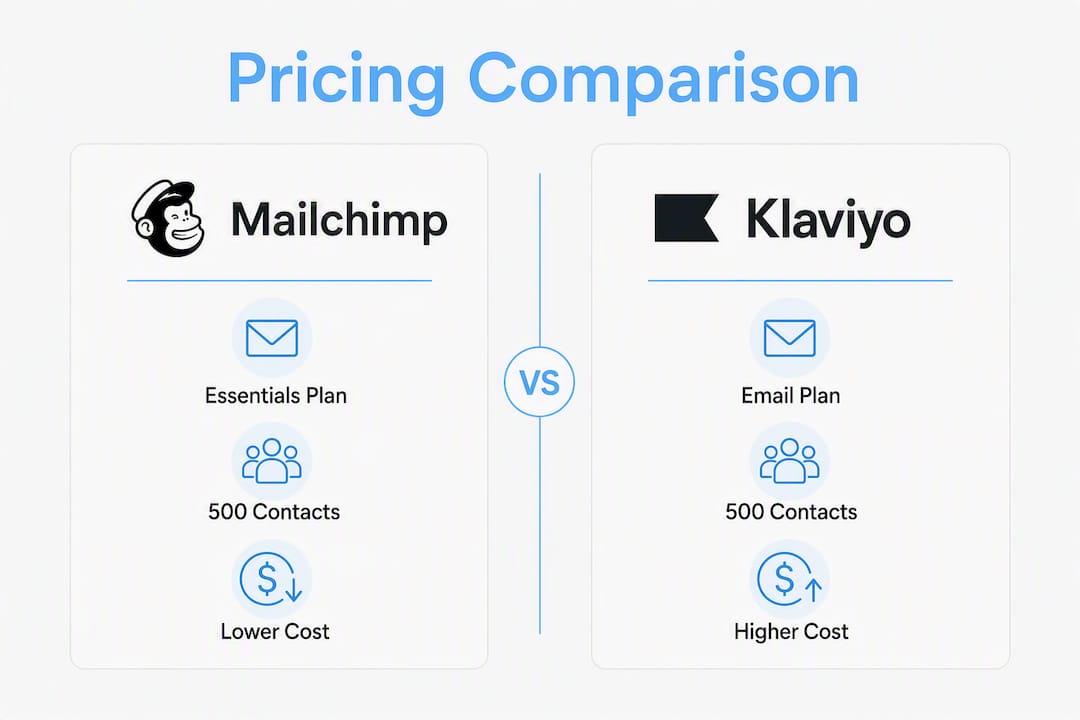
Mailchimp’s Essentials plan starts at $13/month for 500 contacts; Klaviyo’s Email plan starts at $20/month for the same volume. Klaviyo’s free plan covers up to 250 contacts with fuller feature access than Mailchimp’s free tier.
What is SmartFlowCRM and how does it differ from Mailchimp or Klaviyo?
SmartFlowCRM is TTOY Digital’s integrated CRM platform combining email, WhatsApp, and lead management in one system, implemented and managed by the agency rather than operated as a self-serve tool.
Do Mailchimp and Klaviyo have UK GDPR-compliant Data Processing Addendums?
Both platforms offer a DPA, but you must download the current version from their legal pages, verify sub-processors, and confirm the international transfer mechanism covering UK data before going live.
When should a UK small business migrate from Mailchimp to Klaviyo?
When ecommerce retention flows become a meaningful revenue channel and your list exceeds a few thousand engaged contacts, the revenue uplift from Klaviyo’s behavioural automation typically outweighs the higher subscription cost.
Useful sources
- Mailchimp vs Klaviyo, Email Tool Spot
- Klaviyo vs Mailchimp (2026), Automation Atlas
- Klaviyo vs Mailchimp, EmailToolTester
- Klaviyo vs Mailchimp, G2 Learn
- Klaviyo vs Mailchimp billing, Stackcut
- Klaviyo vs Mailchimp, Shopify Blog
Always check vendor pricing pages and DPA documents directly before making a purchasing decision, as costs and legal terms are updated regularly.
Recommended
- Pipedrive vs HubSpot: which CRM suits UK SMEs in 2026? | TTOY Digital
- Best small business CRM for UK firms: 2026 guide | TTOY Digital
- Building a Practical Social Media Strategy for UK Small Businesses | TTOY Digital
- Effective Marketing Automation Strategies for Small Business Growth | TTOY Digital
Related reading: Migrate email to Microsoft 365: the complete guide · Pipedrive vs HubSpot: which CRM suits UK SMEs? · Best small business CRM for UK firms