
Yes, you need consent for non-essential cookies. Under the Privacy and Electronic Communications Regulations (PECR), you must get prior consent before placing most cookies or similar tracking technologies on a visitor’s device, and that consent has to meet the UK GDPR standard. Only strictly necessary cookies, the ones that make your site actually work, are exempt.
If you’re reading this because a plugin update just added a new tracker, or you’ve never quite trusted your existing banner, here’s what to do right now:
- Audit first: list every cookie and script currently firing on your site, and who put it there.
- Pause anything non-essential: analytics, marketing pixels, embedded video, chat widgets, anything that isn’t strictly needed to run the site.
- Then fix consent: only switch those scripts back on once you have a proper consent mechanism in place.
The ICO’s guidance on cookies is the definitive source here, and it’s worth bookmarking. The rest of this guide walks through audit, consent tool, and testing, in that order, because that’s the order that actually keeps you compliant.
Key Takeaways
Valid cookie consent under UK GDPR and PECR must be freely given, specific, informed, and demonstrable, with no cookie walls or pre-ticked boxes.
| Point | Details |
|---|---|
| PECR sets the trigger | Non-essential cookies need prior consent; only strictly necessary cookies (session, basket, security) are exempt. |
| UK GDPR sets the standard | Consent must be freely given, specific, informed, and unambiguous, with no pre-ticked boxes. |
| Cookie walls invalidate consent | Blocking access unless a visitor accepts tracking breaks the “freely given” requirement. |
| Re-audit every six months | Refresh consent and re-check scripts after plugin changes, new tools, or purpose shifts. |
| TTOY Digital implements it for you | Offers cookie audits, consent tool setup, and mobile testing for small businesses in England. |
Table of Contents
- Which laws govern gdpr cookie consent in the UK?
- What counts as valid consent under UK GDPR?
- Do all cookies need consent, or are some exempt?
- How do you get your site compliant, step by step?
- How do you keep gdpr cookie consent compliant over time?
- Why gdpr cookie consent matters for your business
- Our honest view on where small businesses go wrong
- Sources
- FAQ
Which laws govern gdpr cookie consent in the UK?
Two pieces of law work together, and mixing them up is where most small businesses trip themselves up. PECR is the regulation that specifically covers cookies and similar technologies, things like device fingerprinting or local storage scripts. It’s been around since 2003 and was built for exactly this purpose. UK GDPR, meanwhile, doesn’t mention cookies directly. Its job is to define what “consent” actually means, and to set the bar for what counts as valid.
Here’s the part that catches people out: PECR says you need consent for non-essential cookies, full stop. It doesn’t offer a menu of alternative lawful bases like “legitimate interest,” the way UK GDPR sometimes does for other kinds of data processing. So if PECR says consent is required, you have to get UK GDPR-standard consent. There’s no shortcut through a different legal basis, no matter how tidy that might sound to your developer.
The ICO’s PECR guidance makes this relationship explicit, and it also confirms something a lot of business owners don’t realise: PECR doesn’t stop at cookies. It covers storage and access technologies more broadly, so fingerprinting scripts or local storage tricks that avoid the word “cookie” still fall under the same rules.
Sitting behind both of these is the Data Protection Act 2018, the UK’s own statute that implements data protection law domestically. If you ever need the actual statutory wording rather than regulator guidance, that’s where to look.
In practice, this means:
- PECR tells you when you need consent (for cookies and similar tech).
- UK GDPR tells you what counts as valid consent.
- The ICO enforces both, and its guidance documents are the closest thing to a rulebook you’ll find.
What counts as valid consent under UK GDPR?
Valid consent has to be freely given, specific, informed, and unambiguous. Each of those words is doing real work, and skipping any one of them invalidates the whole thing.
“Freely given” is the one that trips up small business owners most often, because it rules out cookie walls. If a visitor can’t access your site’s content unless they accept tracking cookies, that’s not a free choice, it’s a condition. EDPB guidance on consent is blunt about this: consent has to be a clear affirmative act, and conditional access, forcing acceptance before entry, undermines that entirely.
“Informed” and “unambiguous” rule out a few common shortcuts too:
- No pre-ticked boxes. Recital 32 of the GDPR states plainly that silence, inactivity, or a box ticked in advance doesn’t count as consent.
- No “by continuing to browse, you accept cookies” banners. Browsing isn’t an affirmative act.
- No bundling. A visitor should be able to say yes to analytics and no to marketing separately, not one blanket tick for everything.
That last point, granularity, is where a lot of otherwise well-intentioned banners fail. The ICO’s own guidance requires consent to be genuinely separate from your other terms and conditions, and it has to be as easy to withdraw as it was to give in the first place. If accepting takes one click but withdrawing takes three menus and an email, that’s a problem.
Finally, you need to be able to prove it. If the ICO ever asks, you should be able to show who consented, when, and to which specific categories. That record isn’t a formality, it’s often the difference between a quick resolution and a drawn-out enforcement conversation.
Pro Tip: Store consent records with a timestamp and the exact wording shown to the user at that moment, not just a “consented: yes/no” flag. Banners change over time, and you need to know what someone actually agreed to.
Do all cookies need consent, or are some exempt?
Not every cookie needs a tick in a box. PECR carves out an exemption for cookies that are strictly necessary for a service the visitor has actually asked for, and getting this classification right saves you from over-blocking your own site.
Cookies that usually qualify as strictly necessary, and are exempt from consent:
- Session cookies that keep someone logged in during a single visit.
- Shopping basket cookies that remember what’s in a cart between pages.
- Security and load-balancing cookies that protect the site or distribute traffic across servers.
It gets murkier with preference and appearance cookies, the kind that remember a language choice or a dark mode toggle. These can sometimes be treated as necessary if the user made an active choice to set them, but if you’re setting a default preference before any interaction, that typically needs consent too.
Analytics and marketing cookies are the clearest case: they almost always require consent. Google Analytics, Meta’s tracking pixel, remarketing tags, all of these fall outside the exemption. The ICO’s guidance also flags a common mistake: businesses frequently assume internal analytics are exempt simply because the data stays in-house. It doesn’t. If it’s not strictly necessary to deliver the service, it needs consent, and you must name the third party receiving the data before you collect it.

How do you get your site compliant, step by step?
Once you know the rules, the actual work is mechanical. Here’s the order we recommend, whether you’re doing this yourself or handing it to a developer.
1. Run a full cookie and script audit. Open your site in a browser, check every page template, and list every cookie, tag, and third-party script firing. Note what each one does and who put it there, your web agency, a plugin, a marketing tool you signed up for two years ago and forgot about. A structured audit checklist helps here, because it’s easy to miss scripts buried in theme files or third-party embeds like booking widgets and review plugins.
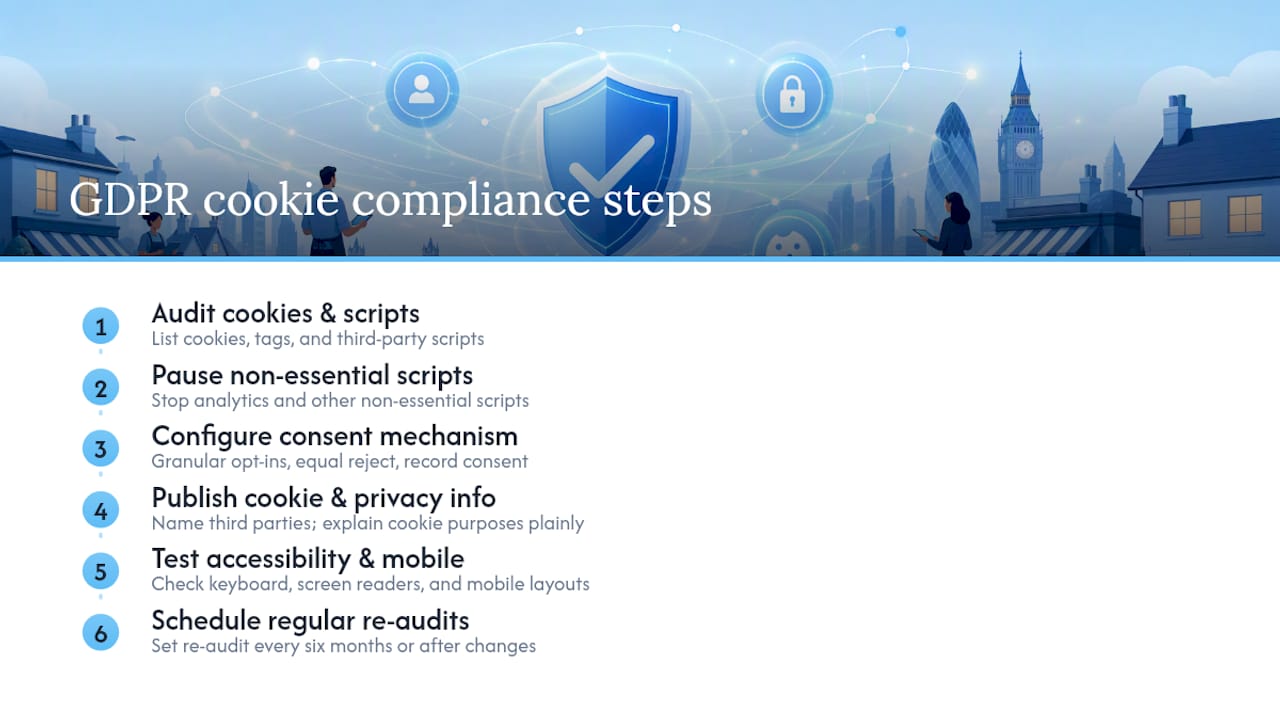
2. Stop non-essential scripts immediately. Anything that isn’t strictly necessary should be paused until consent is in place. Yes, this means your analytics data goes dark for a bit. That’s the price of doing this properly, and it’s shorter than the alternative if the ICO comes knocking.
3. Choose and configure a consent mechanism. This is usually a consent management platform (CMP) or a well-built custom banner. It needs granular opt-in toggles (not one blanket accept button), a genuinely equal reject option, a way to withdraw consent later, and somewhere to store the consent record. Cheap plugin banners often fail on granularity, worth checking before you commit.
4. Publish clear cookie and privacy information. Your cookie policy and privacy policy need to name the third parties receiving data (Google, Meta, whoever else) and explain what each cookie actually does, in plain English, not legal boilerplate nobody reads. If you’re using tools like the Facebook Pixel, that needs its own explicit mention.
5. Test on mobile and with assistive technology. This step gets skipped constantly, and it shouldn’t. A banner that works perfectly on a desktop can trap keyboard focus, cover the “reject” button below the fold, or fail entirely for screen reader users on mobile. ICO guidance is explicit that consent mechanisms must be accessible and reliable across devices, not just functional on the browser your developer happened to test in.
6. Schedule your next audit now. Don’t wait for something to break. Put a re-audit in your calendar, six months out or sooner if you change plugins, add a booking system, or launch a new product page.
Pro Tip: Test your banner on the cheapest Android phone you can find, not just an iPhone. Rendering issues that break the “reject” button tend to show up on budget devices with smaller screens and older browsers first.
How do you keep gdpr cookie consent compliant over time?
Compliance isn’t a one-off task you tick off and forget. It’s closer to keeping your accounts in order, something that needs checking every time the business changes shape.
Your consent records should include the exact wording shown, the date and time, and which categories the visitor accepted or declined. The ICO notes that many enforcement cases hinge on an organisation’s inability to prove consent was given, or that a withdrawal request was actually honoured. Keep records for as long as the consent is active, plus a reasonable window afterwards in case of a dispute.
When someone withdraws consent, act on it promptly, stop the relevant cookies and, where data was collected under that consent, consider whether it needs to be deleted too. Withdrawal that takes weeks to process isn’t withdrawal in any meaningful sense.
Set a re-audit cadence and don’t rely on memory. The ICO itself suggests six months as a reasonable interval for refreshing consent, and that’s a sensible baseline even outside forced re-consent triggers. Beyond the calendar date, treat these as automatic triggers for a fresh look:
- A new plugin, booking tool, or marketing platform gets added to the site.
- Your purpose for using a cookie changes (say, analytics becomes retargeting).
- You launch a new product page, checkout flow, or embedded widget.
Routine maintenance should include a quick scan for new third-party scripts slipping in unnoticed, particularly after a site update or security patch. A single overlooked plugin update is often all it takes to reintroduce a non-compliant tracker you thought you’d dealt with months ago.
Why gdpr cookie consent matters for your business
Getting this wrong isn’t just a legal risk, it’s a trust problem. Visitors notice clunky consent banners, and a badly built one can make your business look amateurish before anyone’s even read your homepage.
We’ve written before about the basics of how cookies actually work, which is worth a read if you want the plain-English version before diving into implementation. If you’re running marketing pixels like the Facebook Pixel, that’s a specific case worth understanding on its own, because it’s one of the most commonly mishandled trackers we see.
Some businesses genuinely can manage this themselves; a simple brochure site with no analytics or marketing tags barely needs a CMP at all. But once you’re running CRM lead capture, retargeting pixels, and a handful of third-party embeds, the technical risk of getting consent wrong climbs fast, and the ongoing maintenance burden (checking every plugin update, every new tool) is where DIY setups usually start to crack.
Our honest view on where small businesses go wrong
Most cookie compliance advice online treats this as a one-time box to tick: install a banner plugin, accept the defaults, move on. That’s the gap between what’s promised and what actually holds up. A banner isn’t compliance. It’s a mechanism, and mechanisms only work if what’s behind them is accurate.
We’d argue the audit matters more than the banner. Businesses spend hours picking the “right” consent tool and five minutes checking what scripts are actually running on their site. That’s backwards. A perfectly configured CMP sitting on top of an unaudited stack of forgotten tracking pixels is worse than no banner at all, because it creates the appearance of compliance without the substance.
The other thing conventional advice underplays is mobile testing. Everyone tests their desktop banner. Almost nobody checks whether the reject button is reachable on a five-inch screen with a cracked corner. If we had to pick one priority for a small business starting from scratch, it wouldn’t be choosing a CMP. It would be auditing honestly, then testing on the worst device in the office drawer.
— Chris
Let TTOY Digital handle your cookie compliance properly
TTOY Digital is the practical alternative to piecing together a compliance solution from generic plugins and guesswork. We run a full cookie and script audit across your site, build a consent mechanism with genuine granular opt-in and easy withdrawal, and test it on real mobile devices, not just a desktop preview, before it goes live. For businesses using SmartFlowCRM to capture leads through WhatsApp or email, we make sure consent tracking lines up with how you’re actually collecting data, not a bolted-on afterthought.
A typical engagement starts with the audit, moves to consent tool configuration, then finishes with cross-device testing and a maintenance schedule so you’re not doing this again in a panic next year. Get in touch through our services page to start with a cookie audit.
Sources
FAQ
Is cookie consent required in the UK?
Yes. PECR requires prior consent for most non-essential cookies, and that consent must meet the UK GDPR standard of being freely given, specific, informed, and unambiguous.
Does GDPR require cookie consent?
UK GDPR itself doesn’t mention cookies directly, but it defines the consent standard that PECR requires you to meet whenever cookies aren’t strictly necessary.
Does GDPR apply to cookies?
Indirectly, yes. PECR is the law that specifically governs cookies, while UK GDPR supplies the definition of valid consent that PECR points to.
What are the new cookie rules in the UK?
There’s no single new rule change, but ICO enforcement has sharpened around cookie walls, pre-ticked boxes, and vague banners, all of which now more clearly fail the “freely given” and “unambiguous” tests.
When should I hire an agency instead of doing this myself?
If your site runs CRM lead capture, marketing pixels, or several third-party embeds, the technical risk and ongoing maintenance usually justify bringing in a specialist like TTOY Digital rather than relying on a generic banner plugin.
Recommended
- Cloudflare for small business: practical setup guide | TTOY Digital
- Building a Practical Social Media Strategy for UK Small Businesses | TTOY Digital
- Pipedrive vs HubSpot: which CRM suits UK SMEs in 2026? | TTOY Digital
- Best small business CRM for UK firms: 2026 guide | TTOY Digital
Related reading: Pipedrive vs HubSpot: which CRM suits UK SMEs? · Best small business CRM for UK firms