
A DNS record is a line of text on an authoritative nameserver that tells the internet where a domain actually points, whether that’s a website’s IP address, an email server, or a security check. Every record carries a TTL, a time-to-live value, which is why changes you make today can take minutes or hours to show up everywhere. Get these few lines wrong and your site goes dark or your emails vanish into spam folders.
- DNS record changes can take hours to propagate due to TTL settings, so reducing TTL well before updates minimises downtime.
- Incorrectly configuring CNAME records at the zone’s apex can break website functionality, especially if it conflicts with other records like MX.
- Managing email DNS records like SPF, DKIM, and DMARC is crucial for preventing deliverability issues, and misconfigurations are common causes of emails going to spam.
- Altering nameservers involves delegation changes that can cause longer delays and requires careful transition planning.
- Using command-line tools like dig or nslookup helps verify that DNS changes have been correctly published and are reachable from authoritative servers.
Table of Contents
- What does a DNS records explanation breakdown actually look like?
- Which DNS record types will you actually run into?
- Why does a DNS change take hours to show up everywhere?
- How do DNS records affect email deliverability?
- What role do nameservers, zones and SOA records play?
- What are the newer DNS record types worth knowing?
- How do you check and safely edit DNS records?
- Why small businesses should grasp basic DNS
- Get your domain, DNS and email set up properly
- Sources
- FAQ
What does a DNS records explanation breakdown actually look like?
Open any control panel and you’ll see rows that look cryptic at first. They’re not. Every DNS record follows the same five-field shape, and once you can read one, you can read them all.
- Name: the domain or subdomain the record applies to (e.g.
www.yourbusiness.co.uk) - TTL: how long, in seconds, a resolver is allowed to cache the answer before checking again
- Class: almost always
IN, meaning “internet” (a leftover from early internet protocols) - Type: what kind of record it is, such as
A,CNAME, orMX - Data: the actual value, like an IP address or a mail server hostname
So www.yourbusiness.co.uk 3600 IN A 203.0.113.10 tells resolvers: “the address for this subdomain is 203.0.113.10, and you can trust that for one hour.” When several records share the same name and type, they form what’s called an RRset, and here’s the bit most control panels hide from you: those records are meant to carry one shared TTL, not several different ones. RFC 1035 treats mismatched TTLs within an RRset as bad practice, and some resolvers will simply pick one and ignore the rest. The answer you get back is either “authoritative,” coming straight from the domain’s own nameserver, or “cached,” coming from a resolver that memorised it earlier and hasn’t checked again yet.
Which DNS record types will you actually run into?
You’ll meet a handful of record types again and again. Understanding types of DNS records doesn’t require memorising all thirty-odd entries in the IANA register, just the ones that show up in everyday domain management.
- A: points a domain to an IPv4 address (the classic “where’s the website” record)
- AAAA: same job as A, but for IPv6 addresses, which are longer and increasingly common
- CNAME: aliases one name to another, so
shop.yourbusiness.co.ukcan point toyourbusiness.myshopify.com. It cannot be used on a bare domain (the “zone apex”), because a CNAME can’t coexist with other records like MX or SOA on the same name - MX: routes email by pointing to a mail server hostname, never a bare IP, with a priority number where lower numbers get tried first
- NS: delegates a zone to a specific set of nameservers; get this wrong and you’ll hit the classic “glue record” problem, where a nameserver’s own address can’t be found because it lives inside the domain it’s meant to be serving
- TXT: a free-text field originally meant for notes, now doing heavy lifting for domain verification and email authentication
- SOA: the “start of authority” record that every zone has exactly one of, holding admin contact details and update timing
- PTR: does reverse lookups, turning an IP address back into a hostname, mostly used for mail server reputation checks
- SRV: points to a specific service running on a specific port, common for things like VoIP or some Microsoft services
If you only remember one caveat from this list, make it the CNAME one. We’ve seen more than a few small businesses try to alias their root domain and wonder why the site broke.
Why does a DNS change take hours to show up everywhere?
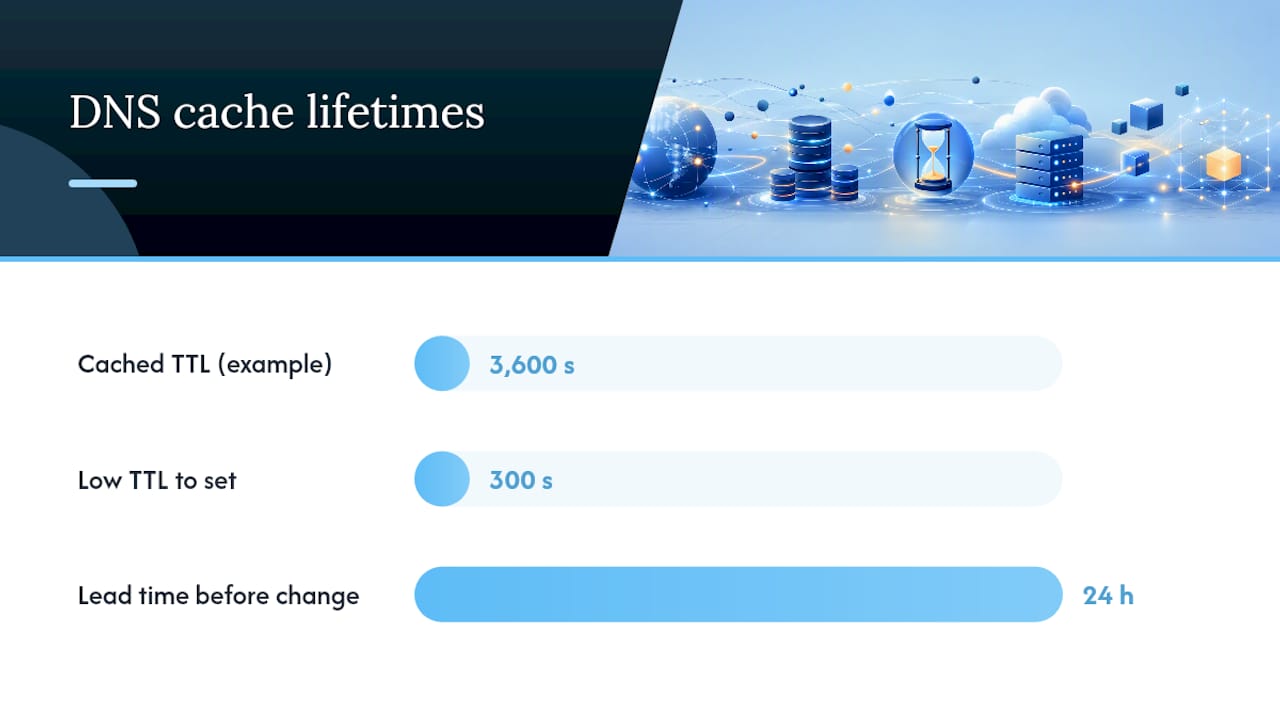
TTL is the setting that dictates how long a resolver caches an answer before asking again. A record with a TTL of 3,600 means some resolvers, somewhere, are still working from the old answer for up to an hour after you change it. This is the actual mechanism behind “DNS propagation,” a term that gets thrown around vaguely but has a concrete cause.
There’s a separate wrinkle when you’re changing nameservers rather than editing records within a zone. That’s a registrar-level change to the parent zone’s delegation, and it can behave differently to a simple record edit, sometimes taking longer to settle because of how the registry above your registrar caches delegation data.
For a safe change, follow this order:
- Lower the TTL on the record well before the change, giving old cached copies time to expire
- Make the actual edit during a low-traffic window
- Verify the new answer using an authoritative query, not just your own browser (which may have its own cache)
- Keep the old values written down somewhere so you can roll back fast if something breaks
Pro Tip: If you’re planning a bigger move, like switching web hosts, drop the TTL to 300 seconds a full day ahead. It costs nothing and turns a potential hours-long outage into a five-minute hiccup.
How do DNS records affect email deliverability?
Three TXT-based checks decide whether your emails land in an inbox or a junk folder, and all three live in DNS. This is where understanding DNS records for email stops being academic and starts saving you real money in lost enquiries.
- SPF lists which servers are allowed to send mail for your domain, published as a TXT record. It has a hard practical ceiling: SPF permits only 10 DNS lookups per check, and once you exceed that by stacking too many “include” statements, the whole check can fail silently
- DKIM attaches a cryptographic signature to outgoing mail, verified against a public key published in a TXT record under a
_domainkeysubdomain - DMARC tells receiving servers what to do when SPF or DKIM fails, with three settings,
none(monitor only),quarantine(send to spam), orreject(bounce it outright)
Most deliverability problems aren’t about your content or your sender reputation at all. Technical DNS misconfigurations, a missing DKIM key, an SPF record that’s crept past its lookup limit, or a DMARC policy nobody ever finished setting up, are frequently the real culprit, and fixing the DNS record often restores inbox placement within days. If you’re running mail through Office 365, our guide to setting up DMARC walks through the specific quirks that platform introduces.
What role do nameservers, zones and SOA records play?
A zone is the chunk of the DNS namespace a particular set of servers is responsible for answering questions about. Whichever servers hold that responsibility are called authoritative nameservers, and they’re the ultimate source of truth, above any cache.
- Every zone has one SOA record, holding the admin’s contact, a refresh schedule, and a serial number that secondary servers check to know whether the zone has updated
- Changing your NS records at the registrar moves authority for the whole zone to a different provider, a different operation entirely to editing a record inside your existing zone, which is exactly why changing nameservers is a separate action from editing records and one of the most common sources of “nothing’s changed” support calls
- Glue records solve the chicken-and-egg problem where a nameserver’s own address lives inside the domain it’s meant to be resolving
What are the newer DNS record types worth knowing?
Beyond the everyday types, a few newer entries in the DNS type register matter for security and performance, even if you’ll edit them rarely.
- CAA restricts which certificate authorities are allowed to issue SSL certificates for your domain, blocking a whole category of impersonation attempts
- DNSSEC records add a cryptographic signature chain to DNS answers themselves, proving they haven’t been tampered with in transit; most providers manage the signing automatically once you switch it on
- HTTPS / SVCB, defined in RFC 9460, hint to browsers about connection details upfront, which can shave time off the initial handshake
- TLSA underpins DANE, a method for pinning which certificate a service should present, mostly seen in mail server security setups
You’re unlikely to touch most of these directly, but recognising them stops you panicking when you spot one sitting quietly in your zone file.
How do you check and safely edit DNS records?
dig yourdomain.co.uk MX or nslookup -type=mx yourdomain.co.uk will show you exactly what’s published right now, and querying a specific nameserver directly (rather than your local resolver) tells you whether a change has actually landed authoritatively or is still stuck in someone’s cache. Online checkers are useful for a second opinion, but the command-line tools give you the unfiltered answer.
- Screenshot or copy every existing record before touching anything
- Lower the TTL a day ahead if the change is significant
- Make the edit, then query the authoritative nameserver directly to confirm it
- Keep the old values ready to paste straight back in if something goes wrong
Pro Tip: Simple A record or TXT edits are well within reach for most owners. Multi-zone migrations, DNSSEC setup, or a deliverability problem that’s resisted three attempts at fixing usually mean it’s time to call in help before you make things worse.
Why small businesses should grasp basic DNS
We’ve watched otherwise sharp business owners lose a week of email over a single typo in an SPF record. You don’t need to become an engineer, but recognising an A record from an MX record means you’ll spot the obvious mistakes yourself. Migrations and deliverability fixes, though, are where getting expert eyes on it pays for itself.
— Chris
Get your domain, DNS and email set up properly
TTOY Digital is the alternative to guessing your way through a control panel: our Domain Names & DNS service handles the record edits, migrations, and delegation changes that go wrong most often when done alone, from a locally based Derbyshire team you can actually speak to. If you’re moving hosts too, our UK Web Hosting plans, from £15 per month, bundle DNS support in alongside the hosting itself, and our SPF, DKIM and DMARC guide is a good starting point if you’d rather understand the fix before you commit to one.
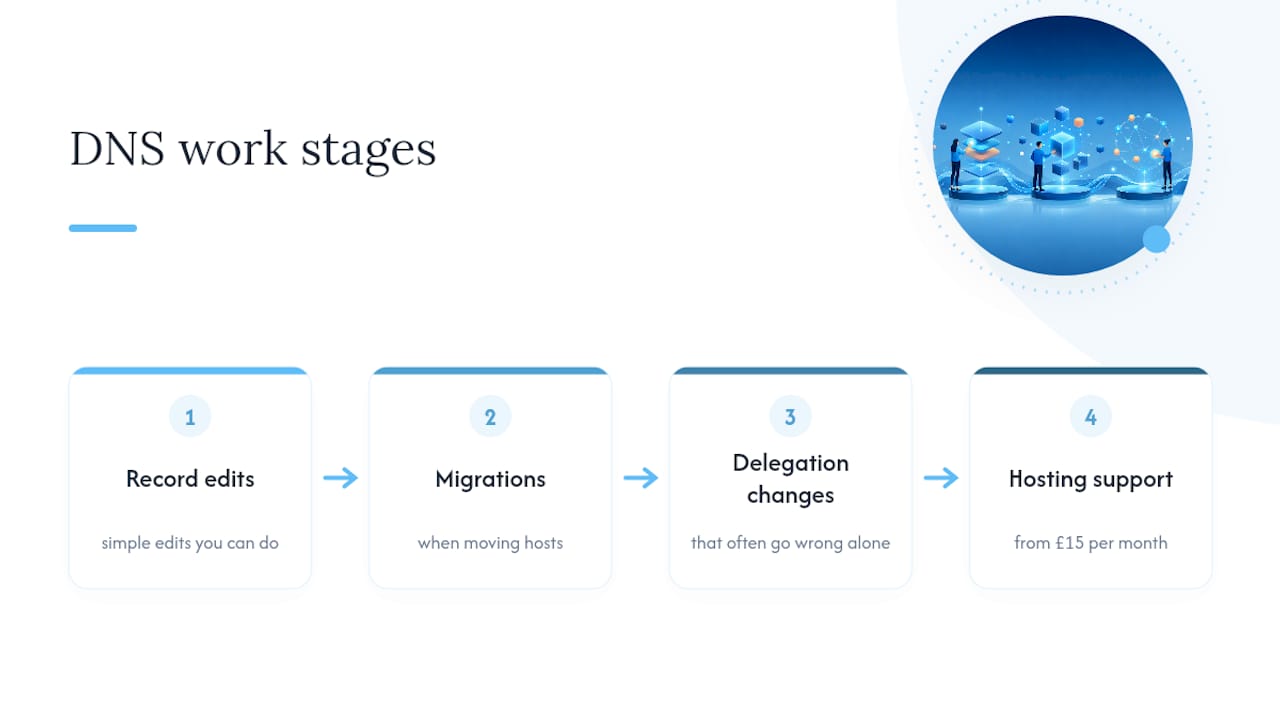
Simple record edits are genuinely fine to do yourself. Once a project involves multiple zones, DNSSEC, or an email deliverability problem you can’t pin down, get in touch for a quick review before it costs you a week of missing enquiries.
Sources
FAQ
What are the five types of DNS records?
There’s no fixed “top five,” but the five you’ll meet constantly are A, AAAA, CNAME, MX, and TXT, covering IPv4 addresses, IPv6 addresses, aliasing, email routing, and verification or authentication respectively. NS and SOA sit just behind them as the records that make a zone function at all.
What should my DNS records be?
That depends entirely on what you’re running: a website needs an A or AAAA record (or a CNAME if it’s hosted elsewhere), email needs MX plus SPF, DKIM, and DMARC as TXT records, and every domain needs at least two NS records for delegation. If you’re unsure what’s currently published, TTOY Digital’s domain and DNS service can review your existing setup.
Is 1.1.1.1 the fastest DNS resolver?
Speed varies by location and network, so no single public resolver is fastest everywhere; some resolvers are widely used and generally fast, but the honest answer is to test a few resolvers from your own connection rather than take a blanket claim at face value.
What happens if I delete all my DNS records?
Deleting every record on a domain makes it unreachable: no website, no email, nothing resolves until records are restored. Always keep a backup of existing values before editing, and if you’re not certain what a record does, leave it alone rather than removing it.
Recommended
- Stop Blocking Mail: Office 365 DMARC in 4–8 Weeks for Small Business IT
- SPF, DKIM and DMARC setup: a practical guide for IT teams
- Steps to Successfully Transfer Your Domain Without Hassle
- Zero downtime for small business sites: Move your site to a new host
Related reading: Local SEO checklist for small businesses · Best small business CRM for UK firms



